
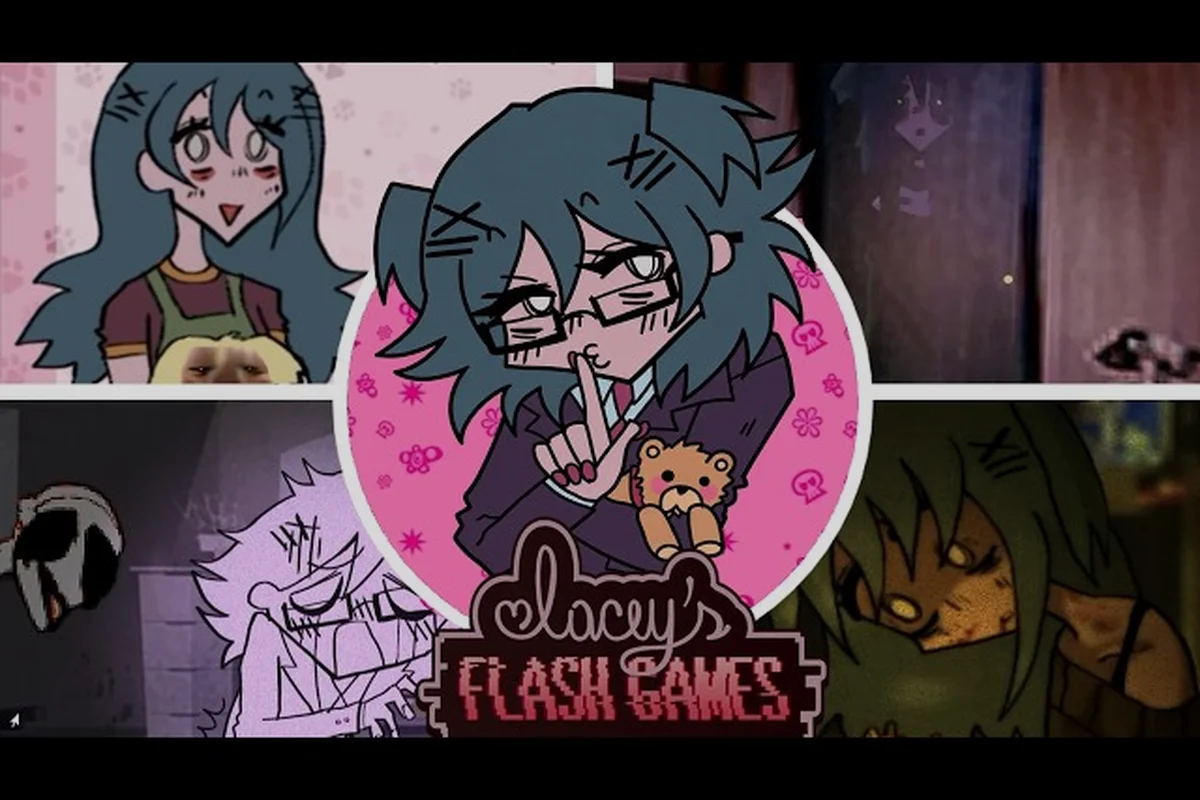
Watching a Lacey's Flash Games let's play is the fastest way to see how a short, strange demo turns ordinary point-and-click scenes into something genuinely unsettling. A recorded playthrough shows you the pacing, the interface quirks, and the branching choices in motion, which is far more useful than reading a wall of text before you load the game yourself.
That matters because this title hides its real content behind timing and observation. A good video walkthrough captures the small stuff — a flicker on the HUD, a prompt that changes wording, a scene that loops differently — and those are exactly the details that decide whether you reach a clean ending or a broken one. The clips below and the breakdown that follows give you a practical map of what to watch for.
What a Lacey's Flash Games Playthrough Actually Shows You
A solid Lacey's Flash Games playthrough is less about watching someone click and more about watching someone read the screen. The demo runs on a point-and-click frame, so nearly every meaningful action is a cursor interaction with a specific object, and the feedback lives in text prompts and subtle visual shifts rather than in loud set pieces.
Community players consistently note that the first few minutes are the densest part of the game, because the interface teaches its own logic before the story starts pushing back. A recorded run lets you pause and study that teaching phase instead of rushing through it.
Here is what a typical full run covers, segment by segment, and the percentages matter more than the runtime itself: the opening and interface intro eats roughly the first 10-15% of the video, early puzzle scenes take the next 30% (object interactions plus your first branching choice), strange events and glitches occupy the middle 30% through visual distortions and text changes, and the late choices and ending branch claim the final 25% as commitment moments lock your result. Knowing that split in advance tells you where to slow the playback — the dense interface teaching phase and the prompt-language shifts in the glitch section — and where a creator is simply walking between cursor interactions, so you can skip ahead without losing the thread of the playthrough.
| Segment | Approximate Share of Run | What Happens |
|---|---|---|
| Opening and interface intro | First 10-15% | Prompts introduce cursor behavior and scene navigation |
| Early puzzle scenes | Next 30% | Object interactions, first branching choice |
| Strange events and glitches | Middle 30% | Visual distortions, text changes, atmosphere shifts |
| Late choices and ending branch | Final 25% | Commitment moments that lock your result |
The value of watching a Lacey's Flash Games full playthrough before your own attempt is that you get to see the prompt language changes without the pressure of a live first run. Those changes are the game's primary communication channel, and missing them is the single most common reason players end up confused about what they did wrong.
For a written companion to the video, the beginner walkthrough guide breaks the same beats into step-by-step text you can keep open in a second window. That matters most during the first 10-15% interface intro, where the guide can spell out each cursor prompt verbatim while your video pauses on the same frame — cross-referencing the two turns a passive watch into an active one. It also helps at the branching choice in the early puzzle segment: the guide lists what each option commits you to, so you can log your decision alongside the timestamp instead of scrubbing back through the glitch section to reconstruct it.
Why the Lacey's Flash Games Video Essay Format Fits This Game
The Lacey's Flash Games video essay has become a popular format for a reason: this game is dense with interpretation and light on raw mechanics, which is exactly the shape that rewards analysis over speedrunning. A standard playthrough shows you what happens; an essay explains why the presentation makes you feel a certain way while it happens.
The creators worth watching — the ones whose Lacey's Flash Games analysis video holds up on a second viewing — tend to keep three layers deliberately separate, and you can apply the same structure whether you are watching a full playthrough or rewatching a single clip. The payoff is practical: keeping the literal layer (the cursor, the prompt text, the frame that actually appeared) distinct from the design layer (why the interface withholds information, why the pacing slows before a reveal) means a claim about the game's surveillance theme can always be traced back to a specific on-screen moment rather than to atmosphere alone.
-
The literal layer — what the cursor clicked, what the prompt said, what appeared on screen
-
The design layer — why the interface withholds information, why the pacing slows before a reveal
-
The interpretive layer — what the recurring symbols and repeated phrasing might mean
Keeping those layers apart is the difference between an analysis video that teaches you something and one that simply narrates a spooky atmosphere for twenty minutes. When a creator blurs them, you get speculation presented as fact, which is unhelpful if you are trying to actually understand the demo.
A useful test for any Lacey's Flash Games analysis video is whether it can point to a specific on-screen moment for each claim. If the creator says the game is about surveillance, they should be able to show you the frame where that reading is grounded. If they cannot, treat it as interpretation rather than evidence.
The lore and theories breakdown collects the more speculative readings in one place, which is handy once you have your own observations from a run. Treat it as a second pass rather than a first stop: play the demo, note the specific frames and prompt text that struck you, then compare your notes against the theories page to see which readings your own screenshots actually support. That order matters because the theories page leans interpretive, and arriving with literal-layer evidence already in hand lets you separate a reading that fits the on-screen presentation from one that only sounds plausible in a video essay.
Reading the Opening Moments in a Recorded Run
The opening stretch of any Lacey's Flash Games playthrough is where most viewers misjudge the game. It looks simple, almost flat, and the temptation is to skip ahead. That is a mistake, because the first scenes establish the baseline normal that every later distortion is measured against.
Watch for these specific beats in the first few minutes of a clip: the first cursor prompt, the first object interaction, the first scene transition, and the first repeated element. Each one is a diagnostic, not decoration. The cursor prompt's exact wording sets the game's voice before any scare lands; the object interaction reveals whether feedback is immediate or delayed, which tells you how the game will reward patience later; the scene transition — instant cut versus animated fade — fixes the pacing rhythm the rest of the run plays against; and the first repeated element, something shown twice with a small change, is almost always a deliberate clue seeded for the ending. Miss these and the later distortion reads as random; catch them and the whole Lacey's Flash Games playthrough clicks into place.
| Beat | What to Look For | Why It Matters |
|---|---|---|
| First cursor prompt | Exact wording and tone | Sets the game's voice for the whole run |
| First object interaction | Immediate feedback vs. delayed feedback | Signals how the game rewards patience |
| First scene transition | Whether it is instant or animated | Establishes pacing rhythm |
| First repeated element | Something shown twice with a change | Usually a deliberate clue |
According to community reports, the demo's early section is deliberately front-loaded with readable instructions, then quietly stops explaining itself once the player has demonstrated they understand the controls. In a video, you can actually see that handoff happen — the moment prompts stop telling you what to do and start only telling you what you did.
That transition is the heart of the design. A Lacey's Flash Games reaction video often captures the exact second a first-time player notices the shift, and those reactions are genuinely informative because they mirror what a new player experiences. Watching someone else's confusion is a shortcut to understanding your own.
If you want to reproduce the opening cleanly on your own screen, the first playthrough setup notes cover the controls and the sensible order of operations — but the notes are most useful when paired with the diagnostic beats above. Treat the first cursor prompt as a script to match word-for-word, since the game's voice is fixed before any scare lands; then time your first object interaction to confirm whether feedback is immediate or delayed, which calibrates how long you should wait before triggering the next prompt. The scene transition is the pacing anchor: if it cuts instantly, keep your inputs tight and sequential, because the run is playing against a fast rhythm rather than an animated fade. Finally, log the first repeated element with a timestamp — the small change between its two appearances is the clue the ending pays off, and noting it early keeps your full playthrough analysis honest when the later distortion arrives.
Spotting Strange Events and Glitches on Video
The middle of a full playthrough is where the game stops behaving predictably, and this is the section where a recorded video genuinely outperforms a live run. Visual glitches, text that changes between visits, and scenes that repeat with small differences are all easy to miss when you are the one holding the cursor.
Here is a practical checklist for what to pause on when you watch a clip: freeze the frame at each transition and compare it against the same beat in a second playthrough, since the anomalies worth cataloguing tend to cluster at fixed trigger points rather than appearing at random. Watch specifically for the game's recurring visual tells — the flickering classroom projector, the way the in-game clock stutters before a scene change, and the cursor icon shifting near interactive objects — because these are the cues a reaction video tends to scroll past while a slowed-down analysis video catches them. Note the timestamp of every anomaly you find and cross-reference it with the corresponding choice branch, since a glitch that only fires on one dialogue option is a scripted event, not a rendering error.
-
Frame-level flickers — brief flashes that a live player would blink past
-
Prompt rewording — the same instruction appearing with different phrasing on a second visit
-
Loop differences — a scene that repeats but with one element altered
-
Sound cues — audio that shifts before a visual change, which is often the first warning
-
Cursor behavior — whether the pointer changes shape or responsiveness near certain objects
Community players have long argued that the strange events are not random noise but deliberate signals, and the strongest evidence for that reading is how consistently they appear at the same points across different runs. A Lacey's Flash Games shorts clip that isolates one of these moments is often more revealing than a full hour of footage, because it forces you to look at a single anomaly without distraction.
The gameplay mechanics breakdown digs into how the point-and-click layer and the choice system interact, which helps you tell a scripted glitch apart from a genuine bug. Concretely, the classroom projector flicker is tied to a specific dialogue flag: it fires on the branch where you answer Lacey's question about the missing flash drive, not on the neutral reply, so if a clip shows the flicker without that exchange preceding it, you are looking at a rendering fault rather than an intended tell. The same logic applies to the stuttering in-game clock — it aligns with scene-transition triggers in the point-and-click sequence, so a clock stutter mid-dialogue is the anomaly worth flagging in your timestamp log.
Comparing Playthrough Styles: Live, Edited, and Analytical
Not every video about this game serves the same purpose, and knowing which format you are watching saves a lot of time. The three dominant styles each have a distinct strength, and the best viewing plan usually combines one of each.
| Style | Best For | Weakness | Watch Time |
|---|---|---|---|
| Unedited live playthrough | Seeing authentic first-time reactions | Slow pacing, missed details | Longest |
| Edited full playthrough | Complete coverage without dead air | Cuts can hide transitions | Medium |
| Analysis or essay video | Understanding design intent | Interpretation may outrun evidence | Medium |
| Shorts and clips | Isolating a single anomaly | No context for the scene | Shortest |
An unedited Lacey's Flash Games playthrough is the most honest record of what the game feels like, because the pauses and hesitations are part of the experience. An edited version is better for coverage, but be aware that a cut between two scenes can remove the exact transition that carried a clue.
Analysis videos sit on top of both. They are only as good as the footage they draw from, so if a creator's claims feel unsupported, go back to a raw run and check the moment yourself. That habit — verify against footage — is the single most useful thing you can build when consuming content about a game this deliberately ambiguous.
For a sense of how the marketing material frames the same scenes, the trailer and intro video breakdown compares promotional footage against what actually appears in a playthrough. This matters most for the edited full playthrough style, where a creator's cut can quietly drop a transition the trailer itself highlighted — say, the shift between the title-card room and the first flashlight segment. Watching the breakdown first gives you a checklist of moments to confirm in the raw run, so you can tell whether a missing beat is a deliberate design choice or just an edit artifact.
Building Your Own Viewing Plan
The most efficient way to use video content here is to sequence it deliberately rather than clicking whatever appears first. A simple three-pass approach works well and takes far less time than it sounds. The reason sequencing matters in Lacey's Flash Games specifically is that its branching choice screens and deliberately glitchy transitions are designed to be misread on a first pass — a reaction video or shorts clip compresses those moments into seconds, so you absorb a stranger's confusion before you have had a chance to form your own read of the frame. Spreading the passes across a single sitting also mirrors the demo's own pacing: the full playthrough is short, but the ambiguity compounds, and returning to a snag point after a short break often surfaces a detail — a repeated sprite, a prompt that changes wording — that was invisible while you were still reacting to it live.
-
Pass one — watch a complete run without pausing. Get the overall shape of the demo and note where your attention snagged.
-
Pass two — rewatch only the snag points. Pause on the prompts, the glitch moments, and the choice screens. This is where the actual information lives.
-
Pass three — read one analysis piece. Compare its claims against what you saw, and discard anything you cannot trace back to a specific frame.
This sequence keeps you from absorbing someone else's interpretation before you have formed your own, which matters a great deal in a game built on ambiguity. Players who watch an essay first often spend their whole run looking for the essay's conclusion instead of noticing what is actually on screen.
One more practical note: the demo is short enough that a full playthrough fits comfortably into a single sitting, so there is no real cost to watching one before you play. Treat it as a preview rather than a substitute, and the branching choices will land with more weight when you make them yourself.
Frequently Asked Questions
How long is a typical Lacey's Flash Games let's play?
Most complete runs of the demo fit into a single short session, and edited versions compress further by trimming navigation and repeat visits. Unedited footage runs longer because it includes the player's hesitations, which are often the most informative part for anyone studying the game's pacing and prompt design.
Should I watch a playthrough before playing it myself?
Watching first is a reasonable choice if you want to avoid missing content, since the game hides details behind timing and observation. The tradeoff is that you lose the surprise of the strange events, so many players watch only the opening segment and stop before the first major choice.
What is the difference between a video essay and an analysis video here?
The terms overlap heavily in practice. A video essay tends to build an argument about meaning and theme, while an analysis video focuses more narrowly on mechanics, interface behavior, and scene construction. Both are useful, but check whether each claim can be traced to a specific on-screen moment.
Are the glitches in the game intentional?
Community consensus leans toward the strange events being deliberate design rather than technical faults, largely because they recur at consistent points across different runs. That said, some visual artifacts may vary by browser or build, so treat any single anomaly as a clue to verify rather than a confirmed feature.
Do shorts and clips miss important context?
Yes, by design. A short isolates one moment, which is excellent for studying a single anomaly but strips away the setup that gives it meaning. Use clips as pointers back to a full run, not as a replacement for watching the surrounding scenes in order.
Watching this game on video is really an exercise in learning how to look. A Lacey's Flash Games let's play gives you the raw material — the prompts, the pauses, the flickers, the choices — and the analysis around it gives you a vocabulary for describing what you noticed. Combine a complete run, a focused rewatch of the odd moments, and one careful essay, and you will walk into your own session already knowing which details deserve a second glance.