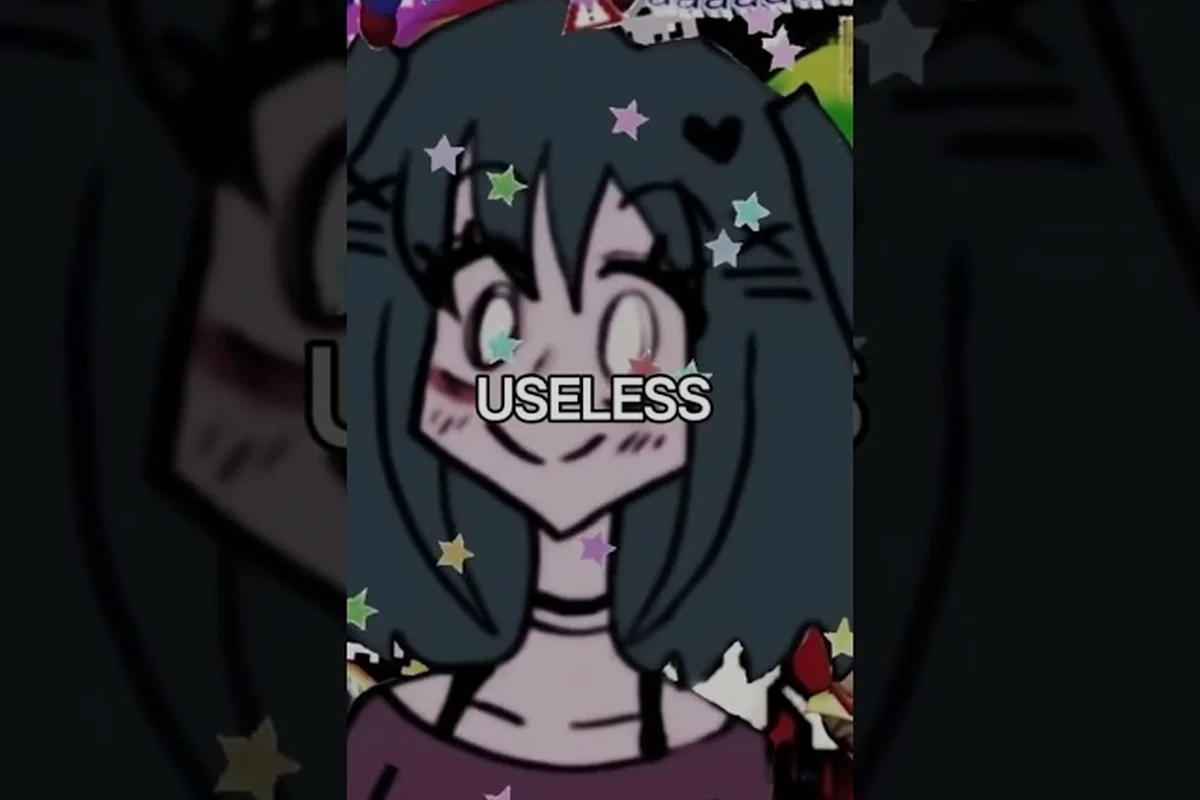
Lacey's Flash Games TikTok clips have become the fastest way to catch the game's strangest moments without booting it up yourself, and that matters because short-form video now shapes how most people first meet Lacey. The official account posts teaser edits and Halloween-launch footage, while fans cut their own reaction clips on top of it.
What Makes Lacey's Flash Games TikTok Clips Go Viral
Short-form video rewards shock, confusion, and repeat-watching, and this game hands creators all three on a plate. A clip usually works when it catches a viewer off guard in the first two seconds, then leaves them slightly unsettled by the time the loop restarts. That emotional whiplash is the engine behind most viral posts.
The art direction does a lot of the heavy lifting here. Flat, colorful, almost cheerful visuals sit next to dialogue and scenes that feel wrong in a way viewers struggle to name, and that mismatch is exactly what makes a clip rewatchable. People share it because they want a friend to feel the same discomfort.
Community reports suggest the most-shared clips fall into a few repeatable formats, and each one maps onto a specific quirk of the game's presentation. Creators lean on these because they reliably hold attention past the three-second mark: the flat, cheerful key art gives a reaction overlay something bright to sit against, while the game's abrupt scene transitions make a loop edit feel almost seamless. Screenshots pulled from the darker story beats double as side-by-side fodder, and the contrast between official poster-style art and the unsettling dialogue is what fuels the audio-swap trend.
-
Reaction overlays — a facecam or text reaction layered over a single unsettling line
-
Loop edits — a scene trimmed so the last frame flows straight back into the first
-
Side-by-side comparisons — cheerful art placed next to the darker context
-
Audio swaps — an upbeat track cut against a scene that does not match the mood
Each format works for the same underlying reason: it compresses the game's tonal tension into something a viewer can absorb in under fifteen seconds. The official TikTok account, laceygamesofficial, follows a similar playbook with teaser cuts and launch-window edits, which gives fan creators a reference point for pacing and framing.
Where Official Lacey's Flash Games TikTok Clips Come From
Official short-form material traces back to a small set of sources, and knowing which is which saves you from reposting fan edits as if they were developer output. The Steam store page lists the official social links, and that listing is the cleanest way to confirm a clip's origin before you credit it.
The rollout has moved in recognizable phases, and each phase produced its own clip style: announcement-window teasers lean on logo stingers and tone-setting cuts, the demo period favors gameplay fragments and UI glimpses, the Halloween launch pushes launch-day edits and scene highlights, and post-launch content shifts to fan reactions and remix edits. Tracking which phase a clip belongs to tells you what the footage can actually prove about the game — a teaser confirms premise and mood, while a demo fragment is the only early material that shows real mechanics in motion.
| Phase | Typical Clip Content | What It Showed |
|---|---|---|
| Announcement window | Short teaser cuts, logo stingers | Tone and premise |
| Demo period | Gameplay fragments, UI glimpses | How the game actually plays |
| Halloween launch | Launch-day edits, scene highlights | Finished atmosphere |
| Post-launch | Fan reactions, remix edits | Community interpretation |
The demo period is where a lot of the earliest Lacey's Flash Games TikTok clips originated, because a playable demo gives creators real footage to cut. Players who want the full context behind those scenes can read the Real Girls Games demo breakdown, which walks through what the announcement and demo actually revealed.
A practical rule for anyone archiving clips: check whether the uploader is the official account or a fan channel, then note the date. Official material tends to be polished and short; fan edits are looser and often funnier, but they drift further from the source each time they get re-uploaded.
Reading Lacey's Flash Games Screenshots and Art Style
Stills tell you more about the game's identity than a fast clip does, because a screenshot freezes the exact composition the artist chose. Lacey's Flash Games screenshots tend to reward a second look: the palette is bright, the framing is slightly off-center, and small details in the background do most of the unsettling work.
That deliberate contrast defines the Lacey's Flash Games art style. It borrows the flat, friendly look of classic browser games and then undercuts it with subject matter that does not belong in that visual language. The result reads as nostalgia with something wrong underneath, which is why stills circulate so widely.
| Visual Element | What It Communicates | Why It Travels Well |
|---|---|---|
| Flat color palette | Cheerful, familiar, nostalgic | Instantly readable at small sizes |
| Off-center framing | Mild unease | Makes viewers linger |
| Detailed backgrounds | Hidden context | Rewards re-examination |
| Simple character shapes | Approachability | Contrasts with the writing |
For a closer look at how the cast is drawn and how fan artists reinterpret them, the character art collection covers the design language in more depth. The short version is that the simplicity is intentional: fewer visual details mean each unsettling detail stands out more sharply.
When you save screenshots for a post or a personal folder, grab them at full resolution and avoid heavy re-compression. A crisp still preserves the exact color relationships that make the art style work, and a blurry one flattens the whole effect into a generic cartoon frame.
Lacey's Flash Games Wallpapers and Key Art for Your Setup
Turning a favorite scene into a desktop or phone background is the most practical use of the game's visual identity, and the good news is you do not need special tools. The best Lacey's Flash Games wallpapers come from high-resolution stills, official promotional pieces, or fan recreations that respect the original palette.
Screen size matters more than most people expect, and the mismatch shows up fast with Lacey's Flash Games art style, where flat color blocks and hard outlines leave no gradient detail to hide stretching artifacts. A still that looks great on a phone can fall apart on a wide monitor, because the composition was never built for that aspect ratio. A 9:16 TikTok clip crop, for instance, slices away the background characters that give a scene its context, so the same frame that reads as a tight character portrait on mobile turns into an awkward floating figure at 16:9. Check the source resolution before committing: a 1080x1920 vertical still upscaled to a 2560x1440 desktop loses the crisp edges the style depends on, whereas a wide environmental screenshot cropped down to vertical keeps its sharpness because you are discarding pixels, not inventing them.
| Use Case | Recommended Source | Aspect Ratio Tip |
|---|---|---|
| Phone lock screen | Tight character crops | Vertical, 9:16 |
| Desktop wallpaper | Wide environmental stills | Horizontal, 16:9 |
| Dual-monitor setup | Repeating background patterns | Ultra-wide, 21:9 |
| Social header | Official promotional art | Wide banner, roughly 3:1 |
Lacey's Flash Games key art is the safest starting point for a clean setup, since promotional compositions are already balanced for display. If you want something more personal, cropping a screenshot around a single character or object often produces a stronger wallpaper than using the full frame, because it removes the clutter that competes for attention at icon scale.
A few practical habits keep Lacey's Flash Games wallpapers looking sharp across a mixed device setup. Export at the native resolution of your longest display first, then downscale for phones and tablets rather than the reverse, since the flat color blocks and hard outlines in the art style punish any upscaling with visible blur along every edge. Keep a lossless PNG master before cropping, because repeated JPG saves smear the thin black contours that define characters like Lacey. When pulling a frame from a TikTok clip, grab the vertical 9:16 source and letterbox it on desktop instead of stretching to 16:9.
-
Match the crop to the screen — do not stretch a vertical image across a horizontal display
-
Keep the palette intact — heavy filters break the flat-color look the art depends on
-
Avoid upscaling small stills — a blurry background is worse than a simple one
-
Store originals separately — keep an untouched copy before you crop
An official Lacey's Flash Games poster works on the same principle: the composition is designed to read at a distance, so it holds up whether it is on a wall or shrunk into a thumbnail. That scalability comes from the art style itself — flat color blocks and hard black outlines survive reduction far better than painterly shading, which is why a promotional piece built around Lacey's silhouette stays legible at 200px wide. When you repurpose poster art for a TikTok clip or a social header, keep the original framing intact rather than cropping into the figure, since the negative space around the character is doing the legibility work at small sizes.
How Fan Edits Reshape the Source Material
Fan edits are where the community's interpretation becomes visible, and they often diverge sharply from the official tone. A creator will take a single scene, slow it down, add a track that clashes with the visuals, and produce something that reads as a completely different mood. That reinterpretation is the point.
The official edit and promotional material breakdown is useful context here, because it shows what the developers themselves chose to highlight versus what fans latched onto. The two are rarely the same scenes, and that gap is where the most interesting edits live.
Most strong edits share a few traits worth copying if you want to make your own: they isolate one unsettling beat from the source — a single jump-scare frame, a distorted character sprite, or a looping ambient sound — rather than stitching together a full playthrough. The strongest Lacey's Flash Games TikTok clips also preserve the original art style's muted palette and low-resolution texture, since upscaling or heavy filters strip away the grainy aesthetic that makes the source recognizable. Timing matters too: edits that let a scare land one beat later than expected tend to outperform straight re-cuts, because the delay creates the dread the original game built through slow pacing.
-
One idea per clip — pick a single unsettling beat and build around it
-
Cut on the beat — align scene changes with the audio for a cleaner loop
-
Keep it short — under fifteen seconds holds attention better than a minute
-
Credit the source — link the original account so viewers can find the real thing
Editing is also where misinformation spreads fastest. A slowed-down clip with a new audio track can look official to someone scrolling quickly, so if you are sharing a clip as genuine footage, verify it against the official account first. Community reports note that re-uploads often strip credit entirely, which makes tracing a clip back to its creator much harder than it should be.
Frequently Asked Questions
Where can I find official Lacey's Flash Games TikTok clips?
The official account, laceygamesofficial, is the primary short-form video source and is linked from the game's Steam store page. It posts teaser cuts and launch-window edits. Fan channels re-upload much of the same footage, so check the uploader name before treating a clip as official material.
Are Lacey's Flash Games screenshots safe to use in my own posts?
Screenshots you captured yourself are generally fine to share for commentary or personal use. Official promotional stills belong to the developer, so credit the source and avoid presenting them as your own work. Always check the uploader before reposting someone else's capture.
What defines the Lacey's Flash Games art style?
It pairs a flat, cheerful, browser-game palette with framing and subject matter that feels deliberately off. Simple character shapes keep the visuals approachable while background details carry the unease. That contrast between friendly art and unsettling content is the defining trait most viewers notice first.
Can I make a wallpaper from a gameplay still?
Yes, and it usually looks better than using full promotional art. Crop tightly around a character or object, match the aspect ratio to your screen, and avoid upscaling a low-resolution capture. Keeping the original palette intact preserves the flat-color look that makes the art distinctive.
Do fan edits change how the game is perceived?
They do, and often significantly. A slowed scene with a mismatched track can read as a completely different genre to someone who has not played it. That reinterpretation drives a lot of the game's short-form reach, though it also means clips should be verified before being shared as genuine footage.
The short-form side of this game works because the material itself is built on contrast, and every clip, still, wallpaper, and fan edit simply re-packages that same tension for a smaller screen. Save your favorites at full resolution, credit the creators you pull from, and verify official material against the developer's own account before passing it along.