Lacey's Flash Games guide exists for one reason: the demo hides its real solutions behind browser-style menus, and most players stall in the first ten minutes. This walkthrough maps every segment in order so you can finish the demo without guessing.
The game looks like a simple collection of Flash-era minigames, but each screen is a puzzle box with its own trick. A Lacey's Flash Games beginner guide that skips those tricks leaves you clicking a dog for twenty minutes with nothing happening. Below is the full route, segment by segment, with the exact inputs that move each scene forward.
What This Lacey's Flash Games Guide Covers
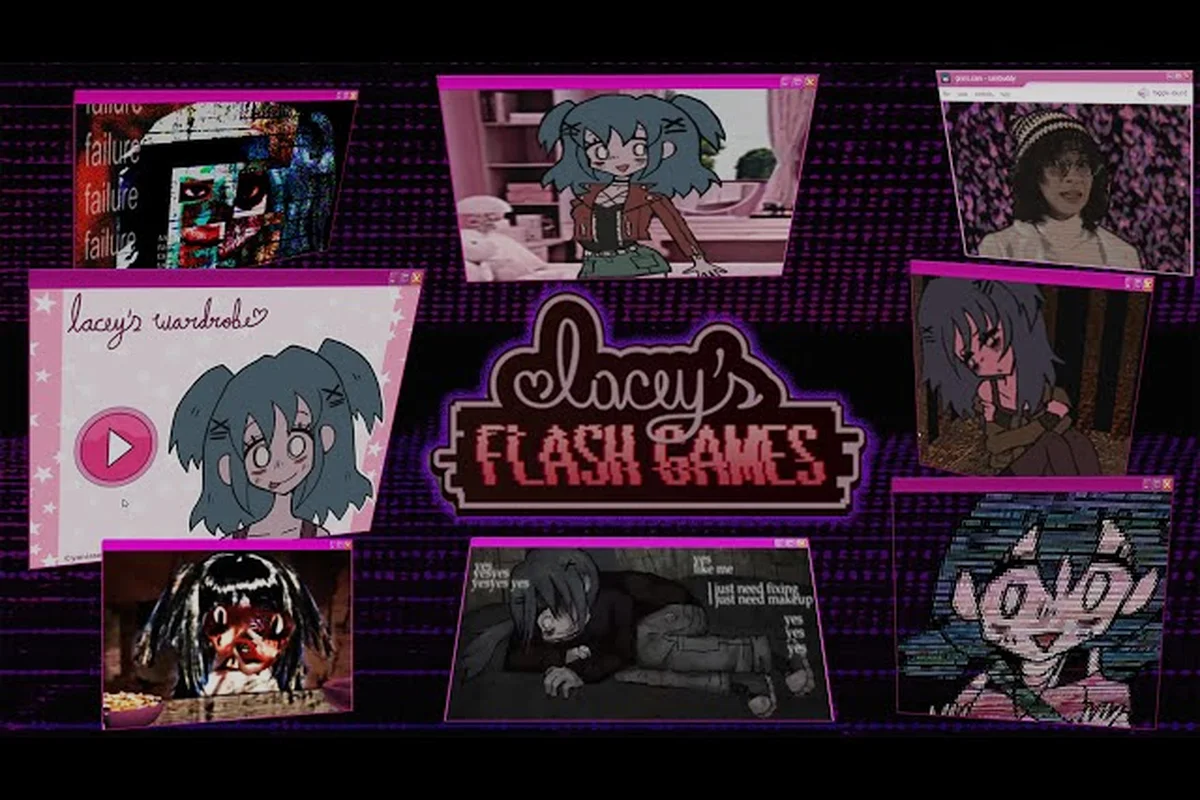
This is a complete route for the demo build, not a general overview. The structure is deliberately linear: you move through Lacey's Wardrobe, Lacey's Petshop, Lacey's Love Meter, and Lacey's Diner in sequence, and each one gates the next. Understanding that order matters more than any single puzzle solution, because players who jump ahead waste time re-entering menus.
The demo is short but dense. According to a Steam Community walkthrough of the demo, the Wardrobe segment has no discoverable good ending, the Petshop hides an alternate path behind a repeated click, and the Love Meter accepts two specific names. Those three facts alone resolve most reported dead ends.
Here is the high-level route at a glance: four gated segments in a fixed order, each with one core task and one predictable stall point. The Wardrobe stage asks only that you dress Lacey until the segment completes, so the stall is chasing a "good ending" outfit that does not exist in the demo. The Petshop runs on normal play until you trigger the dog, and the hidden About Us hint is what players miss. The Love Meter takes two names in the boxes, and guessing instead of reading hints is the trap. The Diner closes the route: watch, then follow the sequence, and do not rush past dialogue.
| Order | Segment | Core Task | Common Stall Point |
|---|---|---|---|
| 1 | Lacey's Wardrobe | Dress Lacey until the segment completes | Trying to find a "good ending" outfit |
| 2 | Lacey's Petshop | Play normally, then trigger the dog | Missing the hidden About Us hint |
| 3 | Lacey's Love Meter | Enter two names in the boxes | Guessing names instead of reading hints |
| 4 | Lacey's Diner | Watch and follow the sequence | Rushing past dialogue |
If you want a slower, mechanics-first breakdown before committing to this route, the tutorial walkthrough covers the interface and input basics in more depth. For now, the table above is enough to know where you are and what comes next.
Lacey's Flash Games How to Play: Controls and Menu Logic
Before touching any puzzle, get comfortable with the fact that this game is mouse-only. There is no keyboard movement, no action button, and no inventory screen. Every interaction is a click, a drag, or a text entry, and the game never tells you which one a scene expects.
That single design choice explains most early frustration. Players used to WASD movement instinctively hunt for a walk key, then assume the game is broken. It is not — the cursor is your entire toolkit. The cursor changes shape to signal what a hotspot accepts: a hand icon means a clickable object, an arrow over open floor means a drag path, and a text caret appears only where the game expects typed input, such as the safe combination or password prompts. Watching the cursor rather than the scene is the fastest way to learn which of the three interactions a room demands, and it removes the guesswork that stalls most first-time runs.
Reading the Browser-Style Interface
Each segment presents itself as a fake Flash game page with its own layout: a main play area, a sidebar, and sometimes a text panel. The sidebar text is not decoration. In the Petshop, the hint that unlocks the alternate route lives in an About Us page rather than the play area, which is why so many players never find it.
Treat every segment in three passes: first click the obvious interactive elements and watch what changes, then read every text panel including About Us, credits, and footer links, and finally repeat one action deliberately if the scene feels stuck. The order matters because the fake Flash game page layout buries clues in different layers — the play area, the sidebar, and the text panel each hold separate information, and skipping the sidebar pass is exactly how players miss the Petshop's About Us hint that unlocks the alternate route.
-
Pass one: click the obvious interactive elements and watch what changes.
-
Pass two: read every text panel, including About Us, credits, and footer links.
-
Pass three: repeat one action deliberately if the scene feels stuck.
That third pass is not superstition. At least one puzzle in the demo is solved by repeating a single click many times, which no amount of exploration reveals unless you commit to the repetition. The reason is mechanical: these fake Flash game pages often gate progress behind a click counter or a hold-timer that only advances after the same element is pressed a set number of times, so a single click looks like a dead end while the tenth click flips the scene. Pass three is where you stop hunting for a new hotspot and instead hammer the one element that already responded — the same discipline that separates a clean lacey's flash games walkthrough from a stuck playthrough.
Input Types by Segment
Input handling in Lacey's Flash Games is deliberately uneven across the four segments, and knowing which input each scene actually wants saves a lot of flailing. The Wardrobe and Petshop are pure click-driven scenes, while the Love Meter flips to keyboard input through its two text boxes, and the Diner asks you to watch a timed sequence and click prompts as they appear. The table below summarizes what each scene actually responds to, based on community reports and the demo walkthrough, including the hidden inputs that are easy to miss.
| Segment | Primary Input | Hidden Input | Reset Behavior |
|---|---|---|---|
| Wardrobe | Click outfit options | Gift option | Re-selectable at any time |
| Petshop | Click pets and objects | Click the dog 20 times | Scene reloads on refresh |
| Love Meter | Type into two text boxes | Exact name pairing | Boxes clear on reload |
| Diner | Watch sequence, click prompts | Dialogue hints from Grace | Restarts from the top |
The gift option in the Wardrobe deserves a note. It exists, it is clickable, and it does not produce a distinct ending — the community consensus is that the segment simply completes once you have cycled through the dressing interactions. Do not burn time hunting for a secret outfit combination that is not there.
Lacey's Flash Games Walkthrough: Segment-by-Segment Route
This section is the working core of the guide. Follow the segments in order and each one hands off cleanly to the next, because Lacey's Flash Games gates progression behind flag triggers rather than a linear level counter — the minigame hub only unlocks the next cluster of flash games once the prior segment's completion flag is set. Skipping ahead usually means replaying the previous scene to re-trigger a flag you missed, so treat each segment's exit condition as a checkpoint before moving on.
Segment 1 — Lacey's Wardrobe
Start by dressing Lacey. Click through the available outfit pieces until the scene acknowledges progress; the segment completes on its own once you have worked through the dressing interactions. The gift option is worth clicking once for completeness, but it does not branch the ending.
If the scene appears frozen, click a different outfit piece rather than the same one. The completion trigger is tied to cycling through options, not to any specific combination. Players who fixate on one "correct" look are the ones who report being stuck here.
Segment 2 — Lacey's Petshop
Play the Petshop normally first. Interact with the pets, watch the reactions, and let the scene run its course. Then open the About Us page and read the text — it references clicking the dog twenty times, which is the hint most players miss entirely.
Go back into the play area and click the dog twenty times. This triggers an alternate version of the segment that matches the original source video the demo is referencing. It is not a bug and it is not a secret ending; it is the intended hidden path, and the About Us text is the only in-game signpost for it.
Segment 3 — Lacey's Love Meter
The Love Meter is a two-box text entry puzzle. Type Lacey in the left box and Uncle in the right box, then trigger the sequence. That pairing is the solution — there is no meter to fill and no slider to drag, despite what the name suggests.
The character Grace drops hints that reference the previous game in the series, which is how the name pairing becomes readable rather than arbitrary — her dialogue explicitly ties the Lacey/Uncle relationship back to events a returning player would recognize, so the two-box entry reads as a payoff instead of a guess. If you skipped dialogue earlier, this is the segment where that choice costs you: without Grace's context you're left brute-forcing combinations, since nothing on the Love Meter screen itself signals which names belong in the left and right boxes.
Segment 4 — Lacey's Diner
The Diner closes out the demo route. Community reports note that the Diner video appears to reveal considerably more than the Petshop segment does, so pay attention to the sequence rather than clicking through it. Follow the prompts as they appear and let the dialogue play.
For a detailed breakdown of unlock conditions and ending flags across all four segments, the prologue and endings guide expands on what each scene sets up. The Diner in particular is where those threads start converging.
Minigame Order and Completion Checklist
Order matters because the demo tracks progress per segment, and a missed trigger in an early scene can leave a later one unresponsive — for example, skipping the full About Us page read can prevent the dog-click counter in Lacey's Petshop from registering the twentieth click that unlocks the alternate scene. The same applies to the Love Meter: entering Lacey and Uncle's names only resolves correctly once the Wardrobe outfit interactions have all been cycled, since the game checks that flag first. The checklist below is the safest sequence to work through in a single sitting, front-loading the low-risk interactions (Wardrobe, gift click, About Us) before the trigger-dependent Petshop and Diner segments.
- Complete Lacey's Wardrobe by cycling all outfit interactions
- Click the gift option once for completeness
- Play Lacey's Petshop normally through its first pass
- Read the About Us page text in full
- Click the dog twenty times to trigger the alternate Petshop
- Enter Lacey and Uncle in the Love Meter boxes
- Watch the Diner sequence without skipping dialogue
- Note any Grace dialogue that references earlier events
If you would rather tackle the optional content after finishing the main route, the minigame unlock guide covers the alternate paths and their triggers in detail. Doing the main route first is still the better call, because the optional triggers assume you have seen the base versions of each scene.
Time Estimates by Segment
The demo is short, but the stall points make it feel longer than it is: the Wardrobe's nonexistent good ending and the Petshop's easy-to-miss About Us hint each add ten-plus minutes of dead-end backtracking, while the Love Meter's name-guessing and the Diner's skippable dialogue cost smaller but repeatable chunks. Because a clean run clears all four segments in roughly 15–25 minutes, every extra minute past that threshold signals a trigger you already fired rather than new content. Here is a realistic time budget based on the route above.
| Segment | Expected Time | Time If Stuck | Main Cause of Delay |
|---|---|---|---|
| Wardrobe | 3–5 min | 15+ min | Hunting a nonexistent good ending |
| Petshop | 5–8 min | 20+ min | Missing the About Us hint |
| Love Meter | 2–3 min | 10+ min | Guessing names |
| Diner | 5–7 min | 10+ min | Skipping dialogue |
Total clean run time lands around 15 to 25 minutes. If you are past forty minutes, you are almost certainly repeating a segment whose trigger already fired — reload the scene and re-read its text panels before trying anything new.
Common Mistakes and How to Avoid Them
Most reported problems in this demo trace back to four habits, each tied to a specific scene rather than the game as a whole: chasing a hidden good ending in the Wardrobe, skipping text panels in the Petshop, guessing names in the Love Meter, and rushing the Diner. Because the demo is short, a single one of these habits can eat most of a session, and fixing them turns a frustrating run into a quick one.
The first is assuming a hidden good ending exists in the Wardrobe. It does not, according to the community walkthrough, and searching for one is the single most common time sink in the demo. The second is skipping text panels, which is fatal in the Petshop because the only hint for the alternate route lives in one.
The third is guessing names in the Love Meter instead of reading Grace's dialogue. The pairing is discoverable through hints, and brute-forcing it wastes the context the game is trying to give you. The fourth is rushing the Diner, where the sequence carries information the earlier segments set up.
A useful habit for the whole demo: when a scene feels stuck, do less, not more. Re-read the text, then repeat the last action you took. The game's puzzles are small and deliberate, and the answer is almost always already on screen.
Frequently Asked Questions
How long does a full Lacey's Flash Games playthrough take?
A clean run through the demo takes roughly 15 to 25 minutes if you follow the segment order and read the text panels. Stalls in the Wardrobe or Petshop can push that past forty minutes, usually because a completion trigger already fired and the player kept searching for a hidden outcome.
Do I need to click the dog twenty times in the Petshop?
Yes, if you want to see the alternate version of that segment. The About Us page text references the twenty clicks, and performing them in the play area triggers the hidden path. It is the intended route, not a glitch, and the demo expects you to find it through that hint.
What names go into the Love Meter?
Type Lacey in the left box and Uncle in the right box, then trigger the sequence. The pairing comes from hints dropped by the character Grace, who references events from the previous game. There is no meter to fill — the puzzle is purely text entry.
Is there a good ending in Lacey's Wardrobe?
No. Community testing has not found a distinct good ending for the Wardrobe segment, so the correct approach is to cycle through the dressing interactions and let the scene complete. The gift option is clickable but does not branch the outcome.
Can I play the segments out of order?
Technically you can open them in any order, but the demo tracks progress per segment and later scenes assume earlier triggers have fired. Following the Wardrobe, Petshop, Love Meter, Diner sequence avoids the most common dead ends and keeps the Diner's payoff intact.
The route above is the whole demo compressed into one path: dress Lacey, play the Petshop twice over, type the two names, and watch the Diner to the end. Every stall point in this Lacey's Flash Games guide comes down to a missed text panel or a repeated action, so when something feels broken, re-read the screen before clicking anything new.