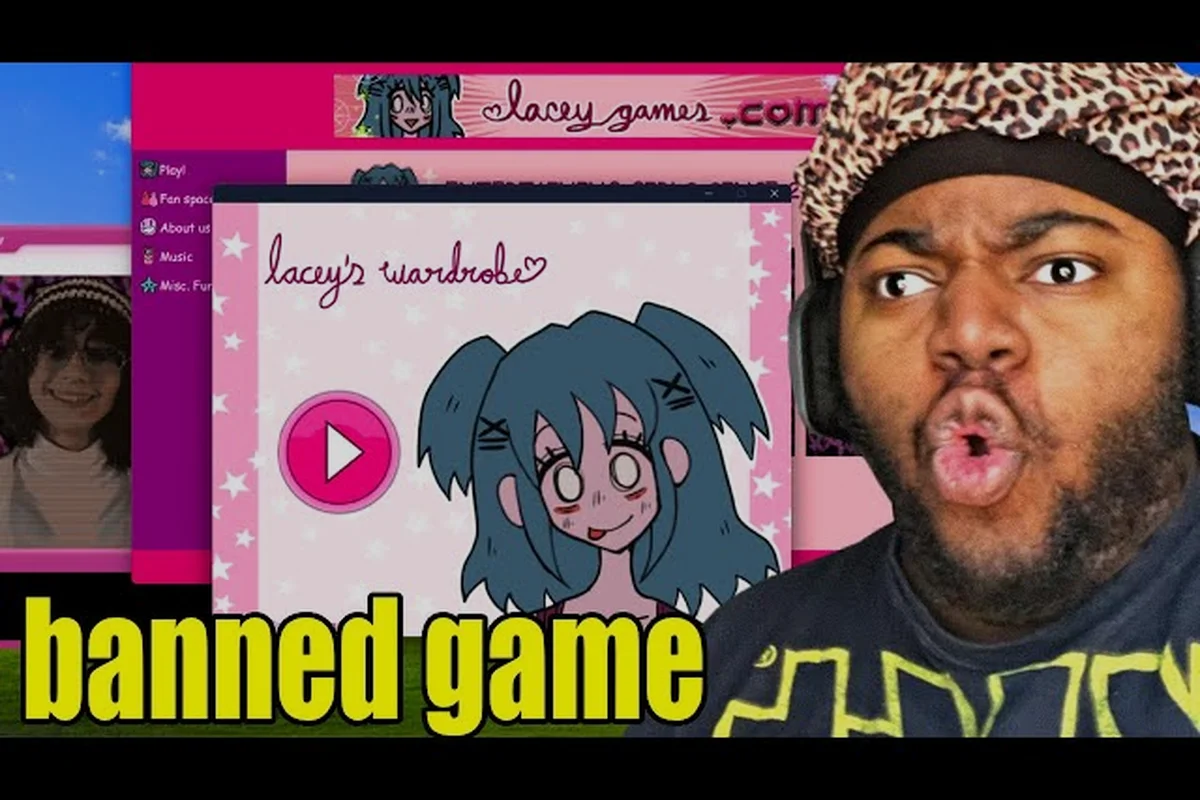
Lacey's Flash Games gameplay runs on a single mouse button and a lot of nerve, blending classic point-and-click adventure logic with a branching narrative that remembers what you did. Every screen asks you to click something, and every click can quietly reshape the story. This breakdown covers how the loop actually works, where the friction hides, and why the choices matter more than the art style suggests.
How the Core Gameplay Loop Works
The structure is deceptively simple: you arrive in a scene, scan it for interactive objects, click what looks useful, and watch the world respond. What separates this from a dozen browser-era adventure games is that the game treats scene inspection as the primary skill, not reflexes. There is no timer pressure and no combat system, so the entire challenge lives in observation and inference.
Each scene typically contains three layers of objects. Hotspots are the obvious clickable items that advance the immediate puzzle. Flavor objects react with a line of dialogue but do nothing mechanically. Hidden triggers only become clickable after you have learned something elsewhere in the game. The third category is where most first-time players stall, because nothing on screen tells you the trigger now exists.
A typical session follows this rhythm, and the rhythm itself is the tutorial: the game never explains the loop in a cutscene, so you learn the scene inspection cadence by repeating it. On a first run through the demo, expect roughly 8 to 12 location transitions, with each scene demanding two to four passes before the hotspots, flavor objects, and hidden triggers resolve into a solvable order. The critical skill is reading the establishing text for nouns that later become clickable — a locked cabinet mentioned in prose is usually a hidden trigger waiting on a key found two scenes earlier. Because there is no timer and no combat, the only failure state is a stalled puzzle, which is why the rhythm rewards patience over speed.
-
Enter a new location and read the establishing text
-
Hover across the scene to find cursor changes that mark hotspots
-
Click objects in a logical order until the puzzle state changes
-
Trigger a dialogue or animation sequence that often contains a choice
-
Move to the next scene with the consequence of that choice already locked in
According to community reports, the demo build runs roughly 45 to 90 minutes on a first playthrough, depending on how much time you spend re-clicking flavor objects. That is short enough that most players immediately start a second run to see what they missed, which is exactly the design intent.
Why Cursor-Only Input Is Central
The mouse-only scheme is not a limitation the developers worked around; it is the point. Because you never move a character directly, the game controls pacing entirely through what is visible on screen. You cannot run past a puzzle or brute-force a corridor. You have to look. This is why the point-and-click puzzle design rewards patience over speed.
Cursor feedback is your main navigation tool. When the pointer changes shape over an object, that object is interactive in the current state. When it does not change, the object is either decorative or gated behind information you do not have yet. Learning to read that feedback fluently is the single biggest skill jump a new player can make.
Point-and-Click Mechanics in Detail
The mechanical vocabulary here is small but used with precision: cursor changes, state flags, dialogue choices, inventory items, and scene transitions cover nearly every interaction in lacey's flash games point and click design. Understanding the difference between a puzzle gate and a narrative gate will save you a lot of confused clicking. A puzzle gate blocks physical progress until you satisfy a concrete condition, such as using the inventory item you picked up two scenes earlier on a stubborn lock. A narrative gate, by contrast, only opens after a dialogue choice or a triggered state flag, so no amount of item-hunting will help until you have said the right thing to the right character. Misreading one for the other is the most common source of dead ends in lacey's flash games gameplay, because the cursor gives no hint about which type of gate you are facing.
| Mechanic | What It Does | How to Recognize It |
|---|---|---|
| Cursor change | Signals an active hotspot | Pointer shifts shape on hover |
| State flag | Remembers a prior action | Object now responds differently |
| Dialogue choice | Sets a narrative branch | Two or more reply options appear |
| Inventory item | Carries a clue forward | Item appears in your collected list |
| Scene transition | Moves you to a new area | Background fades or swaps |
The state flag system is the engine underneath everything. When you click a poster in an early scene, the game records that action. Later, an NPC may reference the poster, or a door may unlock because you noticed a detail on it. Nothing in the interface shows you the flag list, so the only way to track your progress is memory and, if you are thorough, a written note.
Inventory items behave the same way. You will collect objects that seem useless at the moment you find them, then discover twenty minutes later that they are the key to a locked drawer. This delayed-payoff structure is a classic adventure game convention, and it is executed here without any of the pixel-hunting cruelty that made the genre frustrating in the 1990s.
Reading the Scene Before You Click
Veteran players describe a specific habit that separates a clean run from a messy one: scan before you click. Sweep the cursor across the whole scene first, note every object that reacts, and only then start clicking in a deliberate order. This prevents the most common mistake, which is triggering a dialogue choice before you have gathered the information needed to answer it well.
That matters because the game does not warn you when a conversation is about to lock a branch. Once you pick a reply, that thread is set. Some choices are cosmetic and only change a line of dialogue. Others change which scenes you visit at all. Since there is no undo and no manual save scumming on a first run, the order in which you explore a room can genuinely determine which version of the story you experience.
Why Lacey's Flash Games Choices Matter
This is the part that turns a cute adventure game into something players argue about online. The choices matter design is not a marketing line; it is structural. Branching happens at three distinct levels, and each level has a different weight.
| Choice Level | Example Trigger | Reversible? | Story Impact |
|---|---|---|---|
| Cosmetic reply | Tone of a single line | No | Low, flavor only |
| Scene routing | Which room you enter next | No | Medium, changes content seen |
| Ending flag | Final confrontation decision | No | High, changes the ending |
The ending flag is set by a small number of late-game decisions, and community testing suggests there are multiple distinct outcomes depending on the combination you carry into the finale. Because the game tracks these silently, two players can finish the same demo and describe completely different final scenes without either of them being wrong.
This is also why the community splits into two camps. One group plays once, accepts the outcome, and moves on. The other group treats a second run as mandatory, deliberately making the opposite choice at every branch to map the tree. Both approaches are valid, but if you want the full picture of what the game contains, the second run is where most of the interesting content hides. The wrong choices and consequences breakdown digs into exactly which decisions carry the most weight.
How to Track Branches Without a Guide
You can reconstruct the branch structure yourself with a simple method. After each scene, jot down two things: the objects you clicked and the reply you gave in any conversation. That is enough to identify where a run diverged from a previous one. Most players find that divergence points cluster around three or four scenes rather than being scattered evenly, which makes replaying to a specific branch much faster than the first run.
A second trick is to deliberately fail a puzzle on purpose. Some scenes respond to a wrong solution with a unique line of dialogue or a small scene change that you would never see if you solved it correctly on the first attempt. These are not required for completion, but they add texture and often hint at how the choice system is wired.
Full Gameplay Structure and Pacing
A complete run breaks into recognizable phases, and knowing the shape of the arc helps you pace your exploration. The demo build, which is the version most players encounter first, follows this rough structure: roughly 10-15 minutes of tutorial-grade opening scenes where the cursor language is taught through low-stakes puzzles, then a 25-40 minute mid-game stretch of multi-room puzzles and inventory building with medium choice density, followed by a dialogue-heavy branch convergence (10-20 min) where routing decisions spike, and finally a 5-15 minute finale resolving the ending flag. Treating these windows as a budget matters because the point-and-click mechanics punish backtracking — a missed hotspot in the mid-game can cost you several minutes of re-traversal, so front-load your methodical scene-scanning before choice density climbs.
| Phase | Approx. Duration | Dominant Activity | Choice Density |
|---|---|---|---|
| Opening scenes | 10-15 min | Tutorial-grade puzzles, cursor learning | Low |
| Mid-game exploration | 25-40 min | Multi-room puzzles, inventory building | Medium |
| Branch convergence | 10-20 min | Dialogue-heavy scenes, routing decisions | High |
| Finale | 5-15 min | Ending flag resolution | Very high |
The pacing curve is deliberately front-loaded with easy wins. Early puzzles exist to teach you the cursor language and the idea that objects can be gated. By the time you hit the mid-game, the game expects you to already be scanning scenes methodically, and it stops holding your hand. This is where most players either click with the design or bounce off it.
If you want a spoiler-light walkthrough of the puzzle sequence without the narrative reveals, the full walkthrough guide covers the mechanical order of operations. It is useful for the mid-game stretch, where a single overlooked hotspot can stall progress for a long time.
Watching a Full Gameplay Run vs. Playing It
Plenty of people look up gameplay footage before deciding whether to play. That is a reasonable approach, and there is a clean reference point: the Converting Minds demo playthrough, which runs the full game and collects all the secrets with no commentary layered over it. Watching a gameplay no commentary video is genuinely useful here because the audio cues and ambient sound design carry information, and a streamer talking over them hides it.
That said, watching a full run does spoil the branch discovery, which is the main pleasure of the game. A middle path works well: watch the first ten minutes to confirm the control scheme suits you, then play blind. The puzzles are not so obscure that you need a video open on a second monitor.
Practical Tips for a Cleaner Playthrough
These habits are distilled from community discussion rather than any official documentation, which matters because Lacey's Flash Games point-and-click mechanics hide their logic in scene state rather than in explicit instructions. The recurring theme across threads is that the game rewards observation over speed: players who document hotspot behavior, track which conversation replies alter later dialogue, and map inventory dependencies tend to finish with fewer dead ends than those who brute-force every clickable object. Treat the list below as a starting checklist, then refine it against your own run, since the choices-matter system means no two playthroughs surface the same set of consequences.
-
Sweep every scene twice. Once on entry and once after any state change, because new hotspots can appear after a puzzle resolves.
-
Write down conversation replies. The game will not remind you what you said, and later scenes may reference it.
-
Do not hoard inventory items. If an item has an obvious use, test it immediately rather than carrying it for twenty minutes.
-
Click the boring objects. The least visually interesting props are frequently the ones holding the hidden trigger.
-
Treat the first run as a scouting trip. Play it honestly, then use what you learned to plan a deliberate second run.
One more habit worth building: resist the urge to reload after a choice you regret. The game is short enough that a full replay is cheap, and the consequences are more interesting to observe than to avoid. The tutorial and tips collection expands on this with scene-specific advice.
Common Stalls and How to Get Past Them
The most frequent blocker reported by players is a gated hotspot that looks identical to a decorative object until a specific earlier action unlocks it. If you are stuck, the productive move is not to click randomly but to leave the scene entirely, resolve something elsewhere, and return. State changes often happen while you are away.
The second most common stall is a dialogue choice that feels like it should have a third option. It does not. When the game offers two replies, those are the only two branches, and the missing third option is usually a hint that you needed to learn something earlier to unlock a better outcome.
Frequently Asked Questions
Is Lacey's Flash Games gameplay hard for beginners?
Not mechanically. There are no timers, no combat, and no fail states that punish you harshly. The difficulty comes from observation, since a single missed hotspot can stall progress. Most players clear the demo in under 90 minutes once they learn to read cursor feedback.
Do the choices actually change the ending?
Yes. Community testing indicates multiple distinct endings tied to a small set of late-game decisions, and the game tracks those flags silently. Cosmetic replies change only dialogue, but scene routing and finale decisions genuinely alter which content you see.
Can I play without a walkthrough?
Yes — and it is the better first experience. The puzzles lean on logical cause and effect rather than obscure pixel-hunting, and the mouse-only point-and-click mechanics keep navigation readable: cursor changes flag every hotspot, so you always know what is clickable before committing. That clarity is why a blind run works; the challenge is interpreting scene details, not fighting the interface. Save a walkthrough for a second run if you want to confirm which branches you skipped.
How long is a full gameplay run?
The demo build runs roughly 45 to 90 minutes on a first attempt, depending on how thoroughly you inspect scenes. A deliberate second run to explore an opposite branch is usually faster, often 30 to 45 minutes, since you already know the puzzle solutions.
Is there a no commentary version worth watching?
The Converting Minds demo playthrough covers the full game and all secrets without commentary, which preserves the ambient audio cues the game uses to signal state changes. It is a solid reference if you want to verify a branch without replaying it yourself.
The appeal of this game sits in the tension between a friendly mouse-driven interface and a story that quietly keeps score. Learn to scan scenes deliberately, accept that your first run is one version of events rather than the definitive one, and the point-and-click mechanics stop feeling like friction and start feeling like the whole design. That is the loop: look closely, click carefully, and live with what you chose.